ByDesign
AI productivity workspace with Model Context Protocol
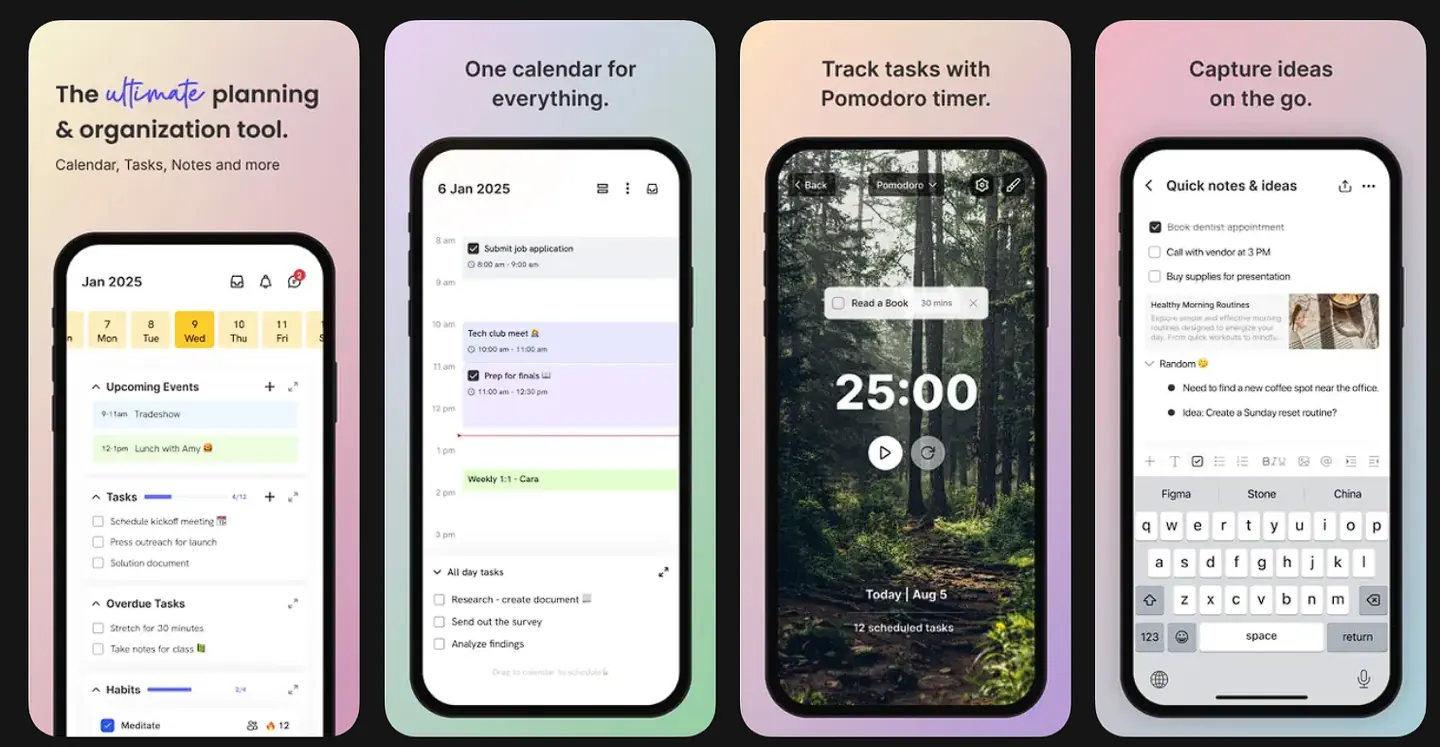
A productivity workspace that keeps tasks, notes, calendar events, habits and sharing in one place instead of scattered across four apps. It runs on web, iOS, Android and macOS from a largely shared codebase, with Model Context Protocol support that exposes the workspace as a tool surface an AI assistant can act on.
Context & role
ByDesign is a productivity workspace that keeps tasks, notes, calendar events, habits, folders and sharing in one place instead of scattered across four apps. It runs on web, iOS, Android and macOS from a largely shared codebase, and it is the product I have spent the most time on.
The problem
Productivity tools force a choice: a calendar that cannot hold a note, or a note app that cannot schedule anything. ByDesign's premise is that these are the same data viewed differently: a task on a page and a task on Tuesday at 3pm should be one object.
That premise is easy to state and hard to build, because it means every surface has to agree about scheduling, timezones, recurrence and ownership at all times.
Product & solution
- Built cross-platform UI in React Native and React covering tasks, pages/notes, calendar views, habits and the inbox
- Implemented Model Context Protocol support, exposing the workspace as a tool surface an AI assistant can act on: reading the day's schedule, creating and rescheduling tasks, logging habits and editing notes through structured tool calls instead of screen-scraping
- Built two-way calendar sync against Google Calendar, Apple/iCloud Calendar and Microsoft Outlook, including event creation, attendee handling and RSVP
- Shipped home and lock screen widgets on iOS and Android
- Implemented multilingual support and timezone-aware scheduling across every surface
- Built collaboration features: page sharing with per-person permissions, and real-time sync between devices
Engineering decisions
Making the workspace legible to an AI assistant. An MCP integration is not a chatbot bolted onto a sidebar. Each capability has to be a tool with a strict schema, a clear description and predictable failure behaviour, because a model choosing between tools is only as good as the boundaries between them. The hard design work was granularity: one overloaded update_item tool makes the model guess, while fifty tiny tools bury the right one. I settled on tools scoped to what a user would recognise as a single intention: check today, add to inbox, reschedule, log a habit, share a page.
Two-way sync across three calendar providers. Google, Apple and Microsoft disagree about recurrence rules, timezone representation and what “deleted” means for one instance of a repeating event. Sync had to be idempotent. A device coming back online after hours offline cannot produce duplicates. Conflicts had to resolve without ever silently dropping something the user typed.
One codebase, four platforms. Widgets, notifications and calendar permissions are genuinely native on each platform. The work was drawing the line correctly: shared logic and shared UI where it holds, native modules where the platform demands it, and no leaky abstraction in between.
Outcome
ByDesign is live on the App Store, Google Play, web and macOS.
Visual showcase